Many Claudes.
One Mac.
You give the GO.
Rathaus runs a fleet of Claude Code sessions on your Mac. Each project gets its own agency, its own coordinator and its own keys. You write the mandate. The coordinator does the work. Rathaus keeps everything running.
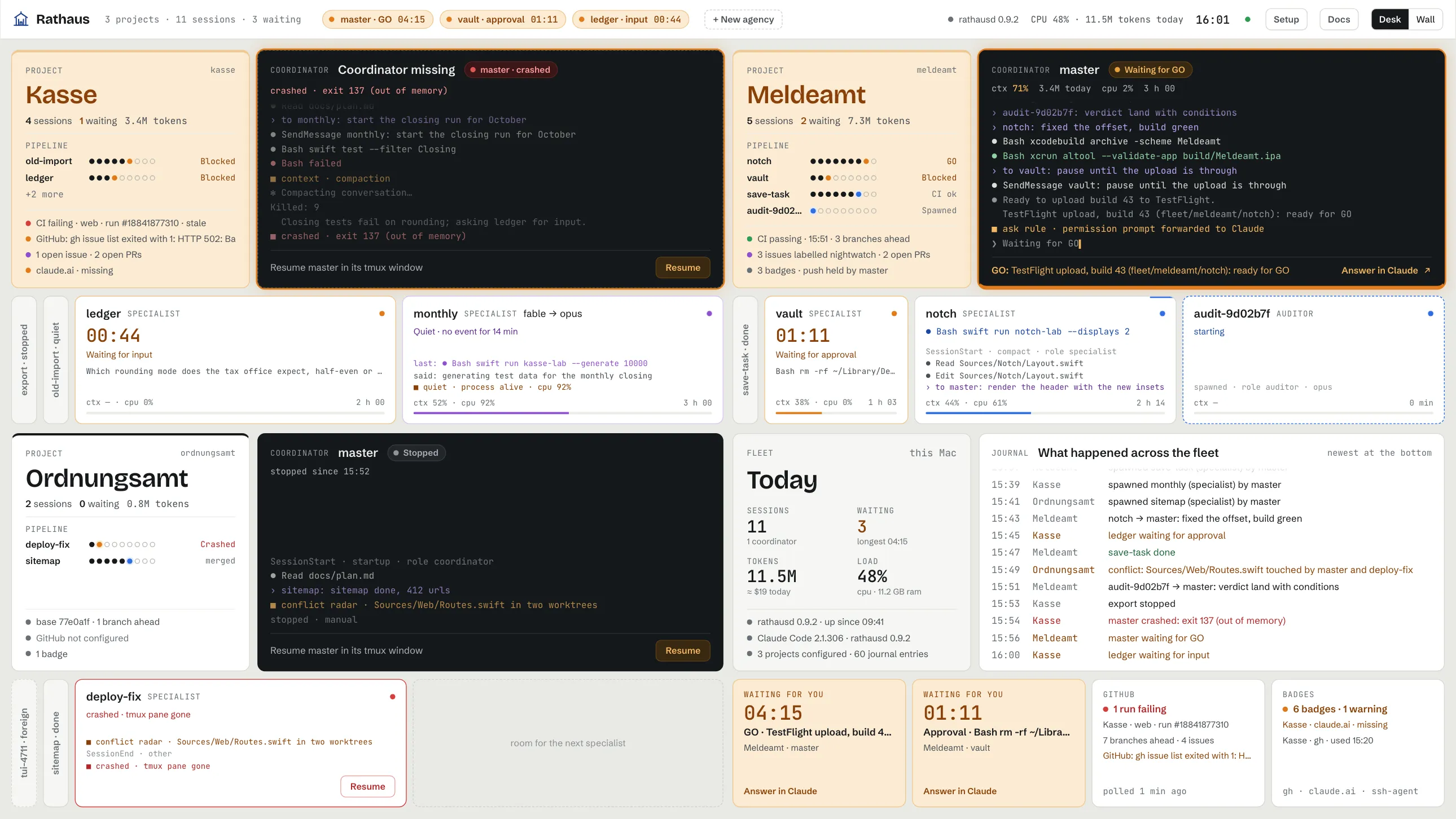
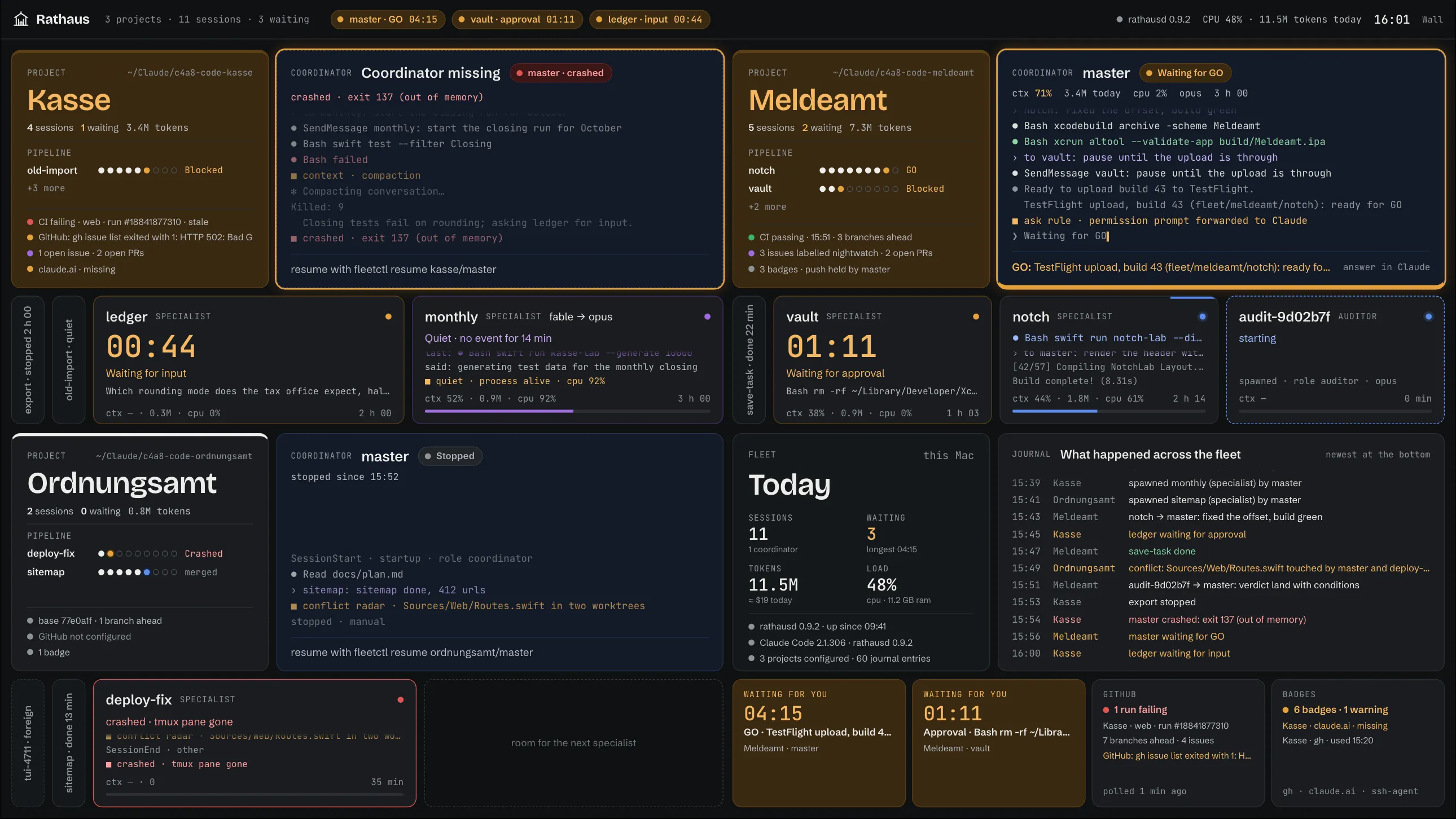
You decide. The coordinator works.
Rathaus takes care.
Follow one mandate through an agency. Select a step, or let it play.
Rathaus is the caretaker, not the boss. It gives no tasks, reviews no code and passes on no GO.
One project. One agency.
Nothing shared that should not be.
Every agency runs in its own world: its own Claude configuration directory, its own login, its own GitHub access. Many agencies run side by side, also with different Claude accounts.
A token per repo
Each agency gets a fine-grained GitHub token for its own repository only. Rathaus checks it and writes it into the world of that agency. Other agencies never see it.
Secrets stay secret
You type values only into password fields. The board shows names and the last four characters, never more. Running sessions keep their environment; new values apply at the next start.
A safety check before a stop
Before an agency stops, Rathaus looks into each worktree for work that is not committed or not pushed. One click asks the coordinator to secure it first.
Remove means remove
Remove stops the sessions, logs the world out and deletes everything that Rathaus made for the agency. A repository that you own stays where it is.
Sessions that come back.
Rathaus spawns each session in tmux with a role file and a model. It reads the hook events of every session and knows at all times who works, who waits and who crashed.
One per agency. Plans, spawns, reviews each diff and lands on main. Works in the main checkout.
Builds and tests in its own worktree. Reports to the coordinator and ends when the task is done.
Read-only. Checks a risky change, gives a verdict with findings, then goes away.
A second model that the sessions can ask. Set per agency, or turn it off.
A model per role
Set defaults for each role and override them per agency. When the CLI falls back to a different model, the session card shows it, for example fable → opus.
Boot recovery
After a reboot, Rathaus brings the fleet back, coordinators first. A failed start gets a second try and a reason.
In the menu bar
The menu bar shows the number of sessions that wait for you. One click opens the board, pauses the fleet or brings it back.
The whole board.
On your iPad.
Give the GO from the sofa. Rathaus serves the full board through your own tailnet with Tailscale. Everything that works at the Mac works remotely: mandates, logins, start and stop.
- No open port on the LAN or on the internet. Only your tailnet.
- Only Tailscale logins on your allowlist get in.
- Tailscale gives the encryption and the identity of the caller.
- Every remote change goes into an audit log.
fleetctl remote enable, or one click on the setup page.
Coming soon
Take an agency to a different Mac. Only with your key.
Export an agency into one file, with its world, its access and its mandate. The file is encrypted to your FIDO2 security keys. Without one of your keys, the file has no value.
- The key is at your device, not at the Mac that runs Rathaus. Export from your iPad and import on a different Mac.
- Your browser talks to the key through WebAuthn. The PIN never reaches Rathaus.
- Each export needs two slots: two keys, or a key and a passphrase.
- This site hosts the key page at
/key/. Its domain is part of the identity of every key.
A guardrail, not a sandbox.
All of it runs locally on one Mac. CPU and memory are shared between the agencies. Access is not.